Mobile POS Systems for Food Trucks: What to Look For in 2026
Food trucks need a point-of-sale system that moves with you. Here’s how to choose a mobile POS that works in the field—tablets, offline mode, and hardware that holds up.
A strong POS comparison helps you pick a provider; this article focuses on what “mobile” really means for a food truck. You need a system that runs on a tablet or phone, works in variable weather and lighting, and keeps selling when the internet drops.
What Makes a POS “Mobile” for Food Trucks?
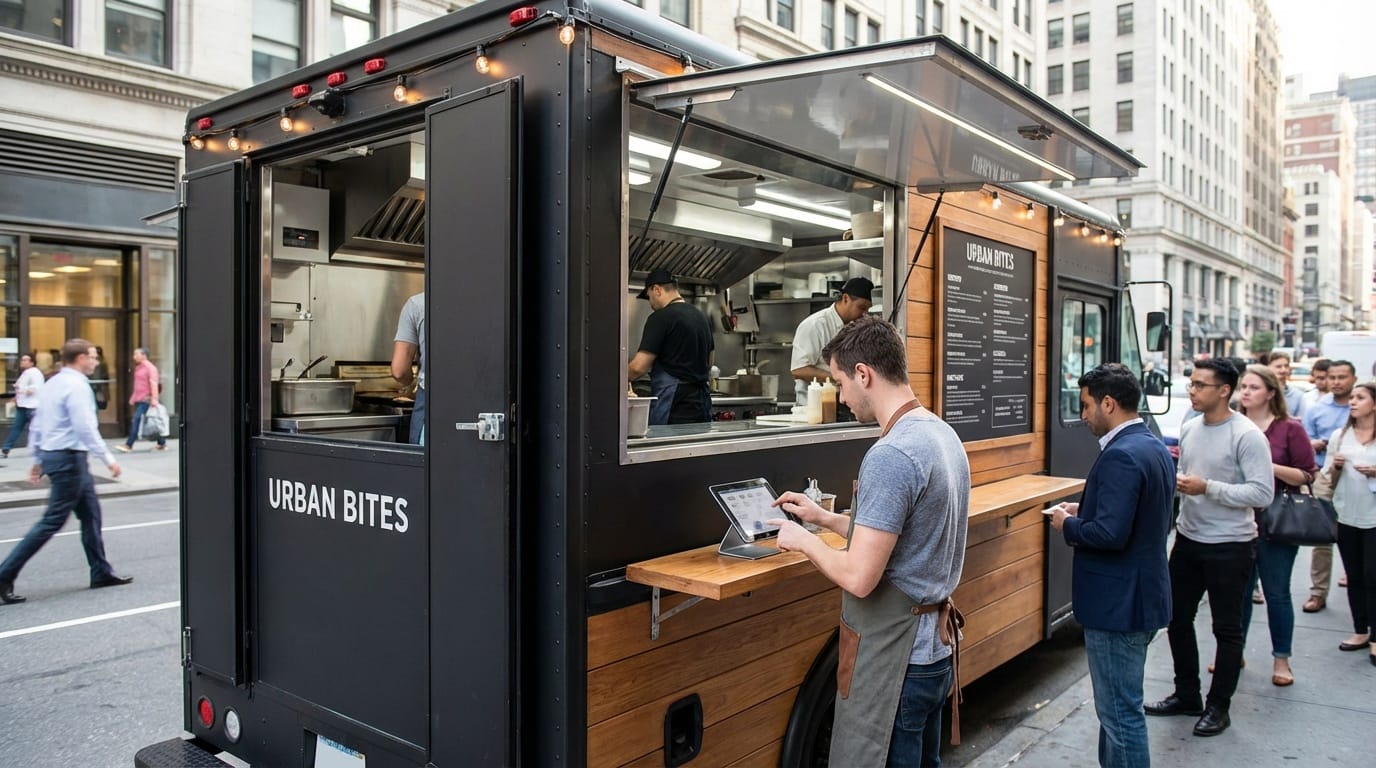
Mobile POS for food trucks isn’t just “POS on a tablet.” It’s hardware and software designed for a moving kitchen: quick order entry, portable card readers, and reliability when you’re at a festival, construction site, or downtown corner with spotty Wi‑Fi.
- Tablet or smartphone as the main device — No bulky counter terminal. Staff can take orders at the window or walk the line with a handheld.
- Offline capability — Transactions queue and sync when you’re back online. Without this, one bad signal can stop sales.
- Compact, durable card readers — Bluetooth or USB readers that attach to your device or work standalone, and can handle rain or grease.
Features That Matter Most
True mobility
Tablet or phone-based; no fixed terminal. Works from truck window, curb, or event tent.
Offline mode
Sales and orders sync when connection returns. Critical for spots with poor cell coverage.
Card and contactless
Accept cards and mobile wallets. Card readers that attach to tablet or work standalone.
Hardware vs Software
You’ll choose both a software platform (the app that runs your menu, orders, and reports) and hardware (tablet, card reader, printer). Many vendors sell bundles; others let you bring your own tablet and only buy the reader. For a food truck, a single tablet plus a rugged card reader and a small receipt printer is often enough. Prioritize battery life and brightness if you’re in direct sun.
Integrating With Your Operations
Your mobile POS should tie into how you already work. Look for quick keys or custom buttons for your top sellers, simple modifiers (no cheese, extra sauce), and a kitchen display or ticket flow that fits your truck layout. If you do catering or pre-orders, pick a system that supports events and scheduled orders. For inventory, even basic low-stock alerts help; you can deepen that later with a dedicated technology stack.
POS Selection Checklist
Before you commit to a vendor, confirm these points so your system works in the field and scales with you.
- Offline mode — Sales and orders must queue and sync when connection returns. Test this in a demo or trial.
- Menu and modifiers — Your menu size and custom options (sizes, add-ons) must fit within the plan limits.
- Card reader — Chip, contactless, and optional tip or service charge. Check fees (per-swipe vs monthly).
- Reporting — Daily sales, tax, and item-level reports so you can track margins and use our Profit Calculator and Menu Costing Tool.
- Support and uptime — Know how to reach support during service hours; check reviews for reliability.
Types of Mobile POS Setups
Mobile POS comes in a few common setups. Choosing the right one depends on your volume, budget, and whether you want one vendor for everything or more flexibility.
All-in-one (tablet + reader + app)
Best for: Single-truck operators, simple menus
Pros: One vendor, predictable fees. Cons: Less flexibility if you outgrow.
App-only (BYOD tablet)
Best for: Budget starts, multiple devices
Pros: Use your own tablet, lower upfront. Cons: You manage hardware and support.
Countertop-style mobile
Best for: High volume, multiple stations
Pros: Faster throughput, more stable. Cons: Heavier, less portable.
Step-by-Step: Rolling Out Your POS in the Truck
A structured rollout reduces downtime and confusion. Follow these steps so your first day with the new system goes smoothly.
- Choose your software and confirm it supports offline and your menu size.
- Order hardware (tablet, reader, optional printer) or use bring-your-own if supported.
- Set up your menu, modifiers, and tax rules in the app before going live.
- Run test transactions in offline mode and confirm they sync when back online.
- Train staff on quick keys, refunds, and where to find daily reports.
- Go live at a low-stakes location and fix any workflow issues before busy events.
Common Mistakes When Choosing a Mobile POS
Avoid these pitfalls so you don't end up locked into a system that doesn't fit your truck or your growth.
- Assuming all "mobile" POS systems work offline — Many cloud-first systems require a connection for each transaction. For food trucks at events or in weak-signal areas, offline capability is non-negotiable.
- Ignoring card processing fees — Monthly software cost is only part of the picture. Compare effective rate (percentage + fixed fee) and any minimums; high volume makes small differences add up. See our Cashless Payment Options for context on payment mix.
- Underestimating menu complexity — If you have many modifiers or combo options, ensure the POS supports them without workarounds. Changing systems later is disruptive.
- Skipping a trial or demo in a real environment — Run through a busy rush scenario (or simulate one) with the device you'll use. Check readability in sun and battery life over a full service day.
Choosing a mobile POS is one piece of launching and running a food truck. For the full picture, use our Equipment Guide and Profit Calculator to plan costs and margins.
Mobile POS for Food Trucks: FAQ
Related Articles
Best POS Systems for Food Trucks in 2026
Compare buying models, offline risks, and the complete cost of a food truck POS quote.
Read ArticleEquipment Financing vs. Leasing: What's Best for Food Trucks?
Financial analysis of different equipment acquisition strategies with real cost comparisons.
Read ArticleHow to Price Your Catering Menu for Maximum Profit
Build catering prices from complete scope, current costs, service capacity, contract risk, and required contribution.
Read Article5 Common Food Truck Permit Mistakes That Cost Thousands
Avoid these costly permit errors that shut down food trucks and delay launches.
Read Article